Construction Scheduling Software: The 2026 Contractor's Guide
Most jobs slip in the schedule, not the field. Here is how construction scheduling software actually works, what it costs, and how to choose one without buying a wall calendar with a login.
By ContractorPro Team
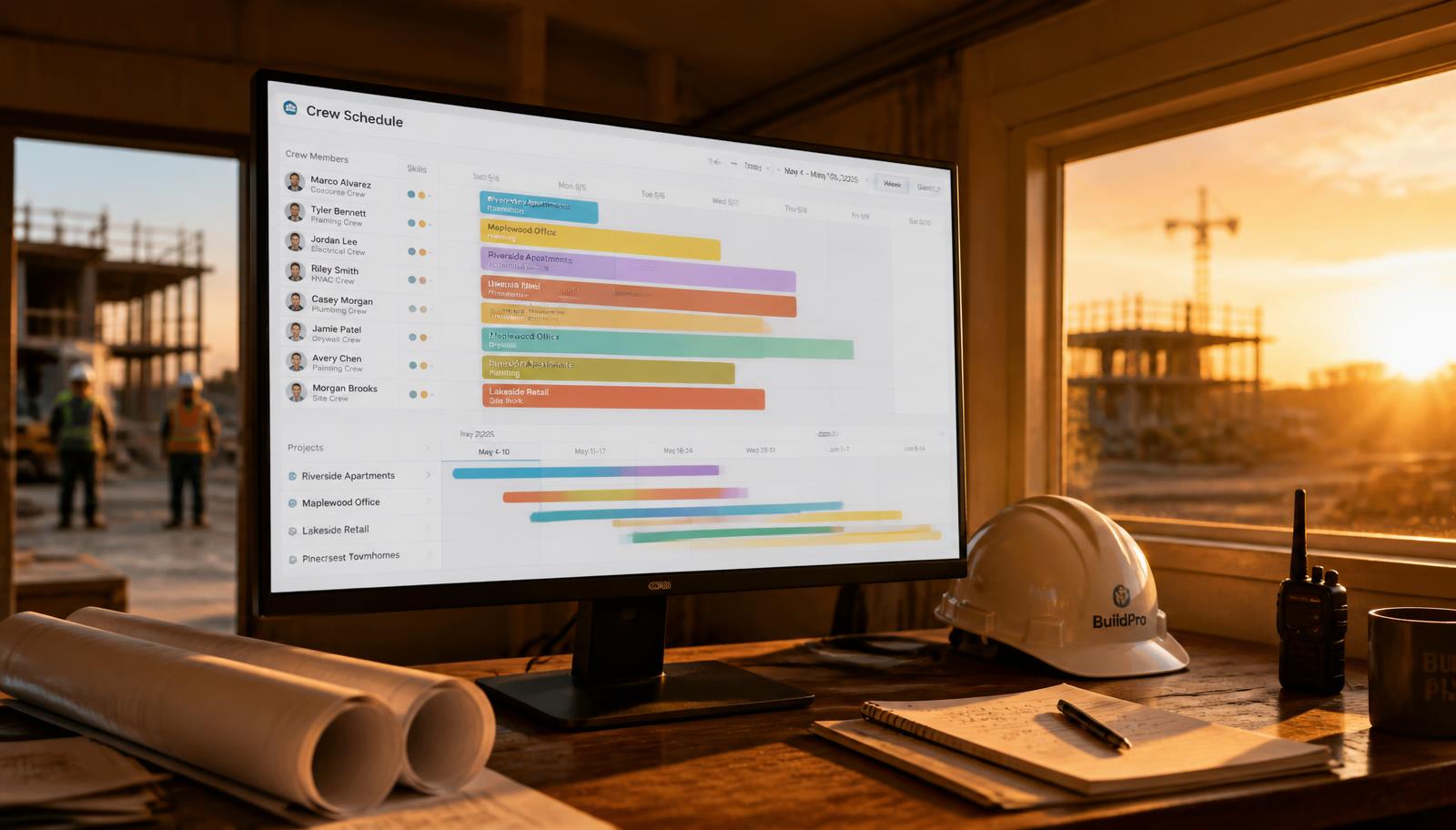
What construction scheduling software actually does
Construction scheduling software is the system of record for who is doing what, where, and when. At minimum it holds your jobs, your phases, your crews and your equipment, and it places them on a calendar that everyone — office, PM, foreman, subcontractor — reads from the same copy.
That sounds obvious, and yet most contracting businesses still run on a whiteboard photographed and texted at 6 a.m., a shared spreadsheet only the office edits, and a group chat where the real schedule lives. Each of those is a separate version of the truth, and the gap between them is where a half-day of crew time disappears.
The software's job is to collapse those versions into one. When a concrete pour slips two days, the dependent framing phase shifts, the framing crew's Tuesday opens up, the customer's install window moves, and everyone affected is notified — from a single change made once.
Most jobs do not slip in the field. They slip in the two hours before anyone in the field hears about it.
Project scheduling vs. crew scheduling: you need both
Buyers confuse two different problems, and vendors are happy to let them. Project scheduling answers 'when does this job finish?' It is phase-level, dependency-driven, and usually drawn as a Gantt chart: excavation, foundation, framing, rough-in, drywall, finish, punch.
Crew scheduling answers 'where does Marco go tomorrow at 7?' It is person-level and day-level, it cares about skills, certifications, drive time, truck and equipment assignment, and it changes constantly.
A Gantt-only tool leaves your dispatcher back on the whiteboard. A dispatch-only tool tells you what is happening tomorrow but not that you are three weeks from missing a contractual completion date. The systems worth paying for keep both views tied to the same underlying data, so moving a phase reflows the crew board and vice versa.
- Project view: phases, dependencies, critical path, milestones, contractual dates, change-order impact.
- Crew view: individual assignments, skills and certifications, availability and PTO, drive time, equipment.
- Shared spine: one job record, one calendar, one set of notifications — no re-entry between the two views.
The features that actually matter
Every scheduling demo shows a pretty calendar. Calendars are commodity. Judge tools on the handful of capabilities that change outcomes on a live job.
- Conflict detection: the system refuses to double-book a person, a crew or a piece of equipment, and says so at the moment of the mistake — not on Monday morning.
- Dependency shifting: moving one phase moves everything downstream automatically, with a preview of what changes before you commit.
- Mobile field updates: the foreman marks a phase complete, uploads photos, and logs hours from a phone with poor signal — and it syncs when service returns.
- Automatic crew notification: text or push when an assignment is created, moved or cancelled, with the address, scope and contact attached.
- Subcontractor visibility: a read-only or limited-edit view so subs see their windows without you needing to buy them seats.
- Utilization reporting: billable versus idle hours per crew per week, which is the single number that tells you whether to hire.
- Weather and travel awareness: rain-sensitive phases flagged in advance, and routes sequenced so crews are not crossing the metro twice a day.
What construction scheduling software costs in 2026
Standalone scheduling and dispatch tools generally run $30–$150 per user per month, often with a lower rate for field-only seats. Full operating platforms that also carry estimating, invoicing, CRM and job costing run $99–$500 per user per month, and typically charge for office seats while including field users.
The sticker price is rarely the real cost. Implementation, data import, training and the productivity dip in the first three weeks are real. So is the hidden cost of a cheap tool that does not talk to your estimating and invoicing systems: someone re-keys every job three times, and that person's salary belongs in the comparison.
The honest ROI math is simple. If a five-crew company recovers four hours of idle crew time per week at a $65 fully burdened hourly rate, that is roughly $13,500 a year — which covers almost any tool on the market. Recovering one avoided missed completion date usually covers it twice.
Where AI scheduling changes the picture
Classic scheduling software is a place to record decisions. AI scheduling makes some of them for you, and this is the meaningful shift in the 2026 market.
When a job slips, an AI scheduler can identify every downstream assignment affected, find crews with the right skills and open windows, propose a reshuffle that respects drive time and certifications, and draft the customer notification — in the time it takes a dispatcher to open the whiteboard photo.
It also works ahead of the problem: forecasting which weeks are over-committed before you sign the next contract, flagging phases whose planned durations have historically run 30% long for your company, and surfacing crews sitting under 70% utilization while you are paying overtime elsewhere.
The limits are worth stating plainly. AI scheduling is only as good as the data behind it. If crew skills are not recorded, availability is stale, and every phase is guessed at 'about three days,' the recommendations will be confidently wrong. Keep a human approving the plan; the dispatcher's job shifts from building the schedule to judging the proposal.
The dispatcher stops building the schedule and starts approving it.
A 30-day rollout plan that does not blow up a live job
Scheduling software fails on adoption far more often than on features. The field will not use a system that makes their morning harder. Roll out in stages against a live baseline.
- Week 1 — Baseline and load: record today's numbers (schedule change frequency, average crew utilization, jobs finished late). Import active jobs, phases, crews, skills and equipment.
- Week 2 — Shadow run: build next week's schedule in the software while the whiteboard stays authoritative. Compare the two at the end of the week and fix what the software got wrong.
- Week 3 — Field-first: switch crews to receiving assignments only from the app or texts. The whiteboard comes down. Expect friction; fix it same-day so nobody reverts to the group chat.
- Week 4 — Automate and measure: turn on dependency shifting, conflict alerts and customer notifications. Compare the four baseline numbers and hold a 30-minute retro with the foremen.
Integrations to insist on
A schedule that lives on an island creates work. The connections that matter are the ones on either side of it: what feeds the schedule, and what the schedule feeds.
Upstream, a signed estimate or won proposal should be able to create the job and its phases without anyone typing them again. Downstream, completed phases should trigger progress invoices, and logged field hours should reach payroll and job costing.
Ask any vendor for three specifics: whether accounting sync is two-way, whether field time entries carry to job costing at the phase level, and whether the calendar syncs to Google Workspace or Microsoft 365 for the office team. Vague answers here mean spreadsheets later.
How to evaluate vendors without getting sold a demo
Demos are staged on clean data with no conflicts. Yours has a foreman out sick, a rained-out pour and a sub who did not show. Run the evaluation on your own mess.
Bring one real week from your history. Ask the vendor to build it live in a trial account — your jobs, your crews, your actual constraints. Then break it: move a phase two days, mark a crew unavailable, and watch what the system does automatically versus what a human has to clean up.
Ask what happens on a phone with one bar in a basement. Ask how a subcontractor sees their window. Ask what reporting exists on utilization. And ask what the export looks like the day you leave — a vendor who cannot answer that quickly is counting on lock-in rather than results.
The metrics that prove it worked
Do not judge scheduling software on whether the calendar looks nicer. Judge it against four numbers you can capture before you start and again at day 30 and day 90.
- Crew utilization: billable hours divided by available hours, per crew, per week. A 5–10 point lift is a realistic first-quarter target.
- Schedule adherence: percentage of assignments that started on the planned day. Below 70% means the plan is fiction and durations need recalibrating.
- Notification lag: minutes between a change made in the office and the affected crew being informed. Should approach zero.
- On-time completion: percentage of jobs finished by the committed date, which is the number your customers and your referrals actually feel.
Frequently asked questions
What is construction scheduling software?
It is software that plans construction work across time — job phases, crew assignments and equipment — in one shared calendar, then pushes changes to the field automatically. Strong systems pair a phase-level Gantt timeline with a person-level dispatch board and notify crews by text or app whenever an assignment moves.
How much does construction scheduling software cost?
Standalone scheduling and dispatch tools typically cost $30–$150 per user per month, often with cheaper field-only seats. Platforms that also handle estimating, invoicing, CRM and job costing run $99–$500 per user per month but eliminate re-entering the same job in three systems.
What is the difference between project scheduling and crew scheduling?
Project scheduling is phase-level and answers when a job will finish, using dependencies and a critical path. Crew scheduling is person-level and answers where each worker goes tomorrow, accounting for skills, certifications, drive time and equipment. Contractors need both views tied to the same job data.
Can AI schedule construction crews automatically?
Yes, within limits. AI can reassign crews when a job slips, sequence work by skill and drive time, flag over-committed weeks and forecast utilization. Accuracy depends on recorded crew skills, current availability and realistic phase durations, so keep a dispatcher approving the proposed plan rather than auto-publishing it.
Do small contractors need scheduling software?
Once you run two or more crews, yes. A single crew can be coordinated by phone. At two crews the double-booking and idle-time losses begin, and at four or more the whiteboard-and-group-chat method reliably costs several crew hours per week — more than any subscription on the market.
How long does implementation take?
Plan on 30 days: one week to import jobs, crews and skills, one week shadow-running against the whiteboard, one week going field-first so crews receive assignments only in the app, and one week enabling automation and measuring utilization, adherence, notification lag and on-time completion.
Does scheduling software work offline in the field?
The better mobile apps cache the day's assignments and queue updates — photos, phase completions, hours — until service returns. Test this specifically during a trial, because a tool that requires strong signal will be abandoned on the first basement or rural job.
Sources & further reading
Primary references from government agencies, standards bodies and platform documentation used to fact-check this guide.
- Construction Spending (Value of Construction Put in Place)U.S. Census Bureau
- Construction occupations: employment, pay and outlookU.S. Bureau of Labor Statistics
- OSHA — Construction industry safety and health standards (29 CFR 1926)U.S. Occupational Safety and Health Administration
Run your whole contracting business with an AI team
One platform replaces the dispatcher, estimator, scheduler, bookkeeper and follow-up coordinator — so the crew builds while the AI team handles the office. Start a free trial and your AI employees go to work on day one.
AI answering service
Every call answered instantly and booked on your calendar — no missed jobs after hours.
Instant estimates & quotes
Turn a few project details into a branded estimate in seconds, then send it by text and email.
Smart scheduling & crews
Auto-assign jobs to the right crew, send reminders, and keep the week full without double-booking.
Invoicing & payments
Generate invoices, take payment by card or ACH, and sync revenue into live financial dashboards.
Live CRM & follow-up
Track every lead and customer, with automated follow-up that wins more repeat business.
Real-time business insights
KPIs for revenue, margin, backlog and cash flow — updated as work happens, not at month-end.
3-day free trial · Cancel anytime